





A profitable 3D LED billboard hardware requirements decision starts with site fit, not creative hype. The screen may be able to play 3D content, but the illusion only holds when the viewing corridor, brightness behavior, geometry, and playback workflow line up. If one of those pieces is off, the campaign can still run, but the result may look flat or confusing instead of convincing.
What Makes a 3D LED Billboard Different
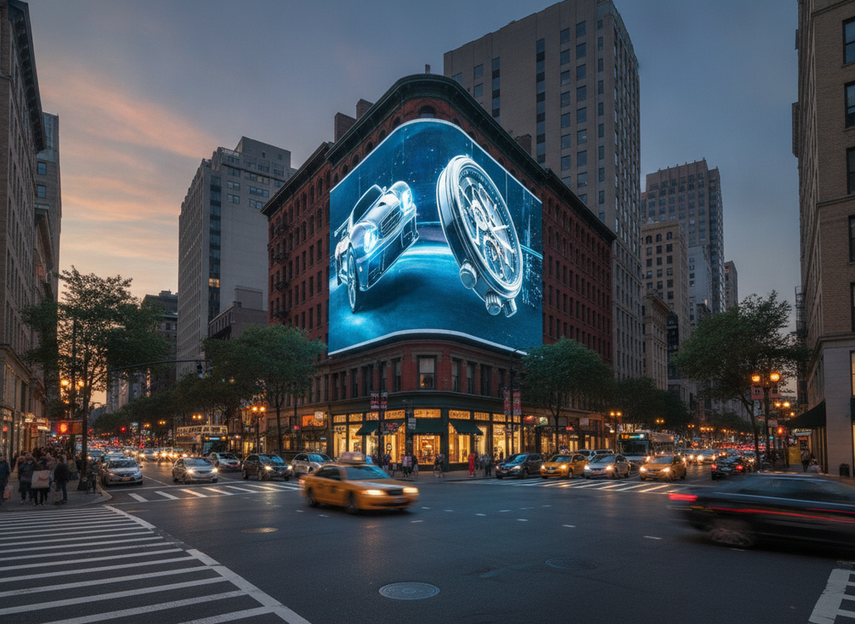
A standard digital billboard and a 3D LED billboard are not the same planning problem. A normal LED screen can carry video just fine, but a naked-eye 3D campaign depends on forced perspective, a narrow viewing sweet spot, and a site where the audience sees the screen from the right approach angle. Groove Jones notes that the effect works from a specific apex viewing angle, which is why the screen location matters as much as the panel itself.
The practical takeaway is simple: verify the site before you pay for creative production. If the screen geometry, traffic path, or audience position does not support the illusion, the content can be technically correct and still fail visually. That is why 3D DOOH is a site-and-workflow decision, not just a screen-format decision.
For most buyers, the first filter is whether the billboard can plausibly support a single dominant viewing corridor. If the answer is no, the campaign may still be worth pursuing as premium motion OOH, but it should not be sold as convincing 3D.
The Hardware Specs That Matter Most
The display spec sheet matters, but only if you read it through the lens of the actual site and the creative plan. The most important 3D LED billboard hardware requirements usually cluster into four checks: brightness, refresh behavior, pixel pitch, and viewing geometry. None of those alone guarantees a good result, and none should be judged in isolation.
Brightness and Daylight Legibility
Outdoor 3D LED billboard hardware requirements start with visibility in changing daylight. The OAAA’s digital OOH guidance is the strongest US authority anchor here, and it recommends keeping digital billboard brightness within the standard safety-and-legibility range tied to ambient light. In plain terms, the screen has to stay readable in sun, cloud cover, dusk, and night without becoming unreasonably bright.
That matters because 3D content often relies on contrast, shadow, and depth cues. If the display washes out in daylight, the effect weakens fast. Buyers should ask for measured brightness behavior on the exact site or cabinet, not just a category-level claim that the screen is "outdoor ready."
Refresh Rate and Motion Behavior
Refresh behavior is about whether motion looks stable or twitchy to the eye. For 3D creative, small stutters, flicker, or uneven playback can break the illusion before the audience has time to read it. You do not need a universal number here to make a good decision; you need proof that the display and playback chain handle the content smoothly at the intended frame rate.
Think of it as a reliability check. If the billboard is strong for static ads but becomes unstable with fast animation or fine movement, that is a real risk for 3D work. This is where a vendor demo or test playback matters more than a spec line copied into a deck.
Pixel Pitch and Viewing Distance
Pixel pitch should be matched to the audience’s real viewing distance, not treated as a one-size-fits-all badge of quality. Tighter pitch can help with detail, but it also raises cost, and the best answer changes with screen size, traffic speed, and how much fine texture the anamorphic scene needs.
For advertisers, the decision is not "What is the best pitch?" It is "What pitch supports the expected viewing distance without overspending?" A street-level screen and a farther roadside screen do not need the same setup. If the vendor cannot connect pitch to the actual approach distance, the proposal is incomplete.
Viewing Angle and Screen Geometry
Geometry is where many 3D campaigns succeed or fail. The illusion depends on how the screen sits in space, how the audience approaches it, and whether there is a stable viewing corridor that aligns with the creative. Groove Jones emphasizes that the sweet spot is specific, not universal, so a screen that looks impressive from one angle can look distorted from another.
That is why a billboard can be physically large and still be a poor 3D fit. If the face is too angled, the street path is too diffuse, or the audience sees it from multiple conflicting directions, the effect gets weaker. In practice, geometry is the first thing to verify before creative style decisions take over.
H-Series rental LED display test report can be a useful technical follow-up if you want to review how a display platform is documented before a rental decision, but it should not be treated as proof that any site will work for 3D.
How Content Workflow Affects Campaign Success
The content workflow is where a lot of 3D billboard projects lose time and money. Even when the hardware is strong, the campaign can fail if the creative was built for the wrong angle, the export does not match the screen, or the operator never signs off on a real playback test. Groove Jones’ discussion of the apex viewing angle also points to the core issue here: the creative has to be built around the screen’s actual conditions, not reused as generic motion content.
Anamorphic Creative Planning
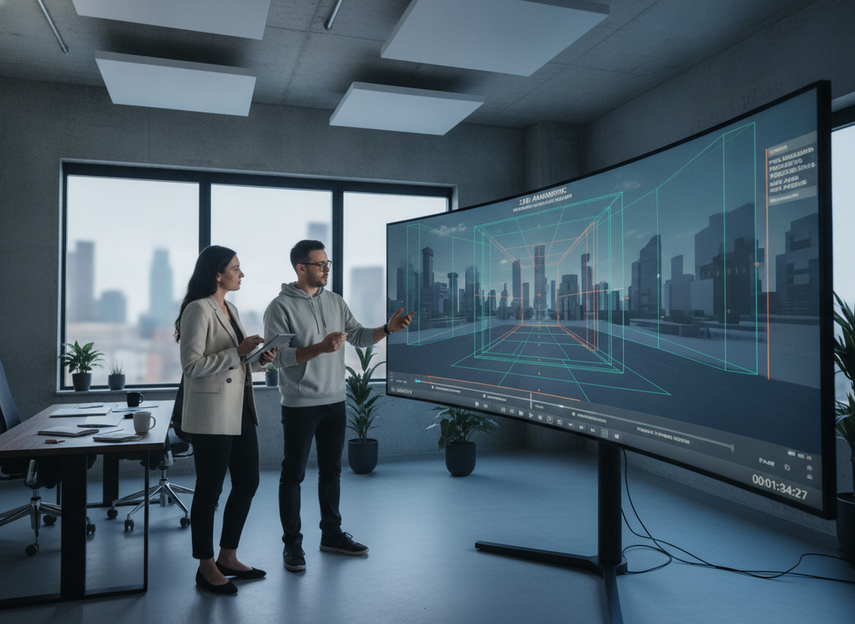
Anamorphic design has to start with the screen and the viewing point. Perspective lines, object scale, and motion timing all need to be built for the chosen location. If the creative team treats the billboard like a blank canvas, the final piece may look dramatic in isolation but fail from the street.
That is why 3D LED billboard hardware requirements include creative planning, not just cabinet specs. The screen dimensions, camera-like viewing position, and surrounding environment should shape the concept early. If the site details are still moving, it is safer to delay final production than to lock an expensive animation too soon.
File Format and Playback Checks
File prep is a common failure point. Aspect ratio, resolution, and export settings need to match the display and the operator’s playback system, or the illusion can fall apart at the last step. A file that looks polished on a desktop monitor can still be wrong for the wall if the geometry or crop is off.
For that reason, the best practice is to run test playback before launch. Confirm that the file renders cleanly, that motion timing holds, and that any required crops or masks preserve the 3D effect. This is where "looks good in review" stops being enough.
Operator Review and Launch Control
The launch process should include clear ownership. Someone needs to approve the final playback, confirm that the brightness settings are right for the time of day, and handle last-minute content changes. Without that handoff, the campaign can drift between agency expectations and what is actually live.
In real use, this is the friction buyers regret most: not the creative idea, but the gap between the approved file and the content on the screen. A short operator signoff step before launch is usually cheaper than fixing avoidable mistakes after the campaign starts.
Match the Hardware to the Campaign Goal
The right hardware decision depends on what the campaign is supposed to do. If the goal is brand awareness with a memorable wow factor, a high-traffic site with a clean viewing corridor may justify the extra complexity. If the goal is broad reach with minimal execution risk, a simpler digital billboard can be the better buy.
| Planning factor | Why it matters | What to verify | Common risk if ignored |
|---|---|---|---|
| Audience distance | Affects whether detail and perspective read correctly | Real approach distance and traffic flow | The 3D effect feels muddy or too small |
| Screen geometry | Shapes the viewing sweet spot | Face angle, placement, and dominant approach path | The illusion only works from one awkward angle |
| Brightness and daylight legibility | Determines whether the content survives sun and glare | Measured outdoor brightness behavior | The screen looks dull in daylight |
| Refresh behavior | Affects smooth motion and perceived stability | Test playback with the actual creative | Flicker or stutter breaks the illusion |
| Content workload | Shows whether the concept can be produced on schedule | Export format, aspect ratio, and motion complexity | Rework, delays, and wasted production time |
| Operator coordination | Controls what is actually live | Approval owner, launch test, and fallback process | The approved creative does not match the live screen |
For premium brand launches, the best-fit site usually combines controlled geometry, reliable daylight visibility, and a playback team that will test before the live date. For lower-stakes campaigns, the same complexity may not pay back. In other words, the question is not whether 3D is possible, but whether the added execution burden is justified by the expected impact.

Launch-Readiness Checklist for Buyers
Use this checklist before you approve a 3D billboard campaign:
- Verify the screen’s primary viewing corridor and confirm that the audience will see the effect from that path.
- Check daylight legibility for the exact site, not just the display family.
- Confirm that brightness behavior is tied to ambient conditions and can be adjusted by the operator.
- Make sure the creative was built for the screen geometry, not adapted from a generic format.
- Review export settings, resolution, and aspect ratio against the playback system.
- Request a real test playback before launch day.
- Assign one person to own final signoff and launch changes.
If you want a quick next step, ask vendors for site photos, measured brightness behavior, playback requirements, and a clear signoff process. That keeps the conversation focused on 3D LED billboard hardware requirements instead of vague promises.
Final Takeaway
A profitable 3D DOOH campaign is built on verification, not assumptions. If the site does not support a clear viewing corridor, the display cannot hold daylight legibility, or the workflow is not ready for playback and signoff, the campaign should stay in planning until those gaps are closed. Use the checklist above, then push vendors for site-specific proof before you commit production budget.
FAQs
How Do I Know If a Billboard Site Is Suitable for 3D Content?
Suitability comes down to viewing corridor, audience distance, screen geometry, ambient light, and whether the operator can support test playback and signoff. If those pieces do not line up, the campaign can still run, but the illusion may not read clearly from the street.
What Display Specs Should I Verify Before Booking a 3D LED Billboard?
Start with brightness behavior, refresh stability, pixel pitch, viewing angle, and cabinet geometry. The key is not finding a universal number for every campaign. It is confirming that the display matches the site, the audience path, and the content plan you actually want to run.
Why Can Good 3D Creative Still Look Weak on a Large LED Screen?
Usually because the screen, the site, or the playback workflow was not ready for the creative. Weak viewing distance, poor geometry, low daylight legibility, and export or timing errors can all flatten the effect even when the concept itself is strong.
Can Standard Digital Billboards Support Naked-Eye 3D Campaigns?
Sometimes, but only if the specific site and display support the viewing angle, brightness needs, and playback requirements. The category name alone is not enough. Verify the actual screen, location, and workflow before you spend on anamorphic production.
What Should Be in a 3D Billboard Launch Checklist?
A good launch checklist covers site fit, brightness verification, creative format, playback testing, and signoff ownership. It should also confirm who can make last-minute adjustments, because the biggest problems often show up at the handoff between agency and operator.





