





Smart city LED planning works best when a city treats the pole as part of a managed system, not as a standalone gadget. In practice, that means lighting, sensing, connectivity, and display functions only belong together when the site design, data flow, and governance model support them.
What Smart Poles Contribute to City Infrastructure
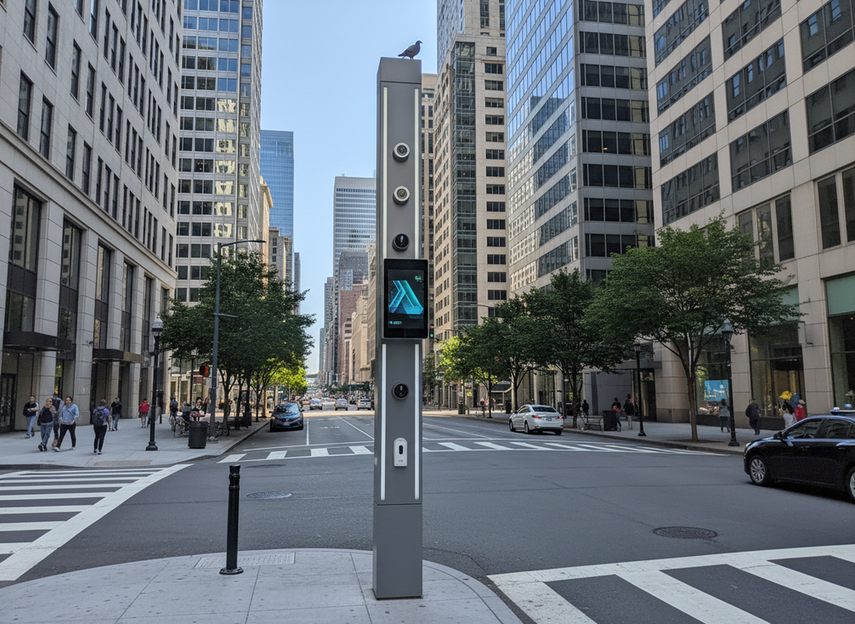
Smart poles are streetlight or streetside assets that can support connected functions such as lighting controls, sensors, communications gear, and display hardware when the full system is designed for it. The useful idea is not that every pole should do everything. It is that one pole location can host multiple municipal functions when the project is planned as integrated infrastructure.
That framing matches the NIST Smart Cities and Communities Framework Series, which describes smart city infrastructure as an interoperable system across municipal sectors. For city teams, that is the key distinction: the pole is the physical node, but the value comes from how the node connects to lighting operations, data platforms, and service workflows.
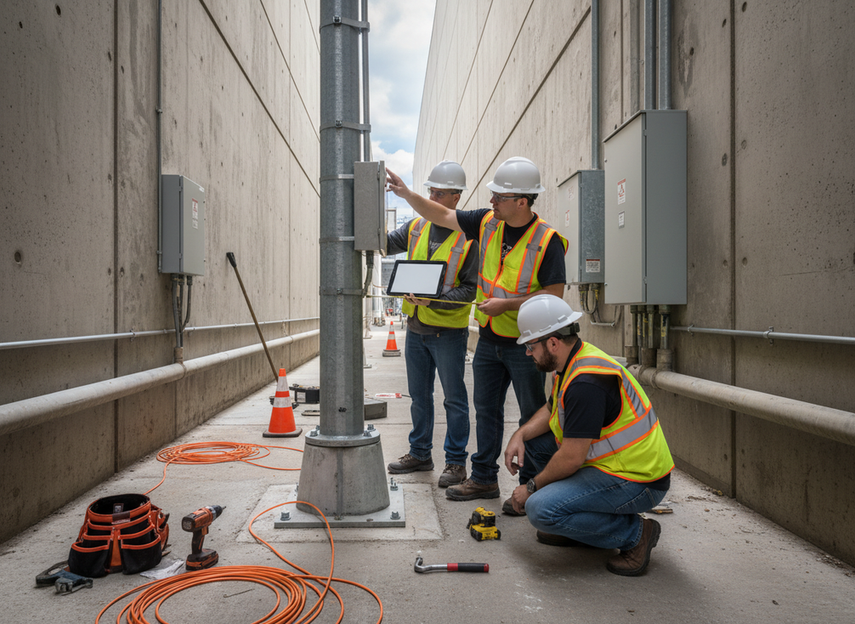
A smart pole becomes useful when it helps a city answer a real operational question, such as whether a corridor needs better lighting control, better visibility into environmental conditions, or a way to support connected services in one streetside location. It is less useful when the deployment starts with a feature list and no service goal.
That is also why a smart city LED display should be treated as one component inside the node, not as the whole strategy. The display can deliver public messages or contextual content, but it does not replace the citywide planning work around data, access, and operations.
How Smart Poles Collect and Move Data
A smart pole as an IoT data node usually starts with a simple flow: a device on the pole measures or receives information, local control may filter or manage it, the network carries it onward, and a city platform or operator uses it later. The exact architecture varies, but the functional steps are usually the same.
At the edge, a pole may host sensors for environmental monitoring, traffic observation, equipment status, or other local conditions. Some deployments also add cameras, but that is a separate governance and privacy decision, not an automatic feature of the pole itself.
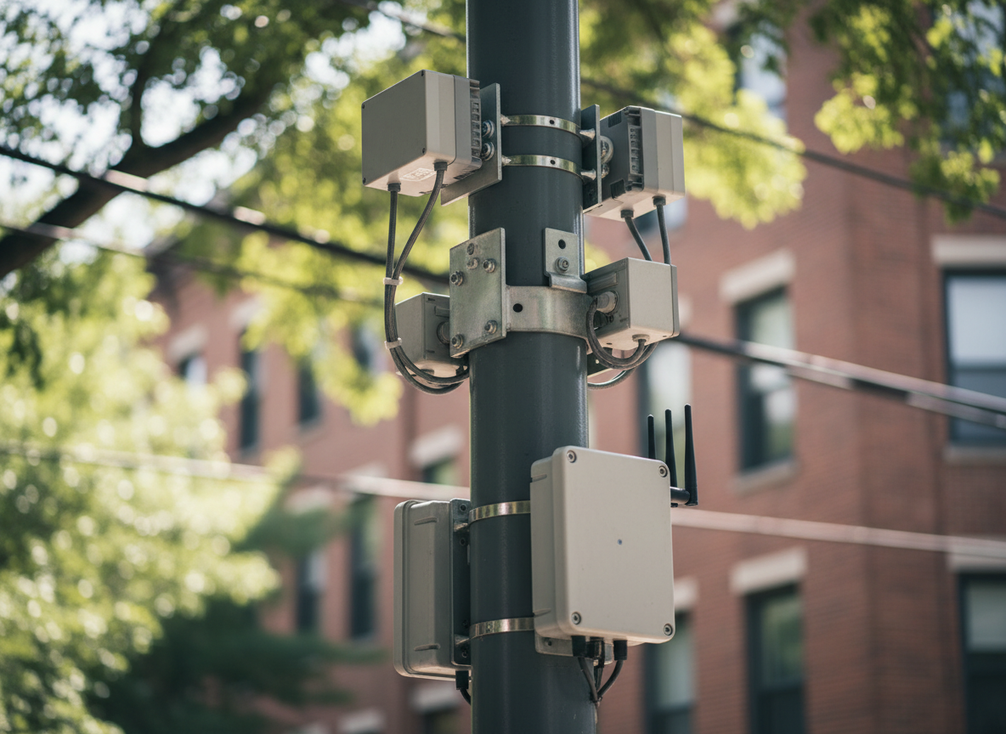
Connectivity can then move that information through fiber, cellular, or another municipal network design. The Small Cell Wireless Technology in Cities Action Guide is clear that small-cell planning is site-specific and should account for permitting, power, and structural integrity before a city assumes the pole can support 5G equipment. In plain terms, the visible pole is not enough. The structure, the utility access, and the network plan all have to line up.
Some projects also use edge processing, which means a device can sort or summarize information before it leaves the pole. That can reduce bandwidth use and make the system more responsive, but it should be planned, not assumed. For municipal and IT teams, the useful question is not "Can this pole do everything?" It is "Which tasks belong at the pole, and which ones belong in the city platform?"
The broader smart-city standards context also matters. ISO 37122:2019 includes indicators for street lighting and urban sensing, which offers background context for connected lighting in municipal data planning. Even so, ISO should stay background support here. The deployment still depends on the actual site, device mix, and operating model.
Sensor Inputs and Local Monitoring
Sensor inputs can include environmental readings, movement counts, equipment health, or other local indicators. The planning value comes from knowing what decision the data will support. If the city cannot name that decision, the sensor is probably too abstract to justify.
Connectivity Options and Network Backhaul
Connectivity is a design choice, not a default promise. Fiber, cellular, or a hybrid approach may work, but the right answer depends on the corridor, the utility setup, and the city’s network strategy. For 5G small cell readiness, the pole has to pass structure, power, and permitting checks first.
Where LED Displays Fit in the Data Flow
LED displays are output devices inside the node. They can present public information, alerts, or site-specific content, but they are not the primary source of the city data itself. That distinction matters because it keeps the discussion centered on municipal communications and control, not on signage alone.
What Needs City Platform Integration
The real planning question is how the pole connects to asset management, content control, alerting, or monitoring systems. A pole can be technically capable and still fail as a city tool if permissions, software ownership, or handoff rules are unclear. That is why smart pole as IoT data node planning should always include the platform layer, not just the hardware layer.
Planning Smart Pole Functions Across City Departments
This is where smart pole projects usually gain or lose momentum. Lighting, IT, public works, transportation, communications, and sometimes police or emergency management all tend to see different value in the same pole. If those groups do not align early, the project can become a set of disconnected purchases instead of a usable system.
State and local policy can shape the design too. The Mobile 5G and Small Cell Legislation Overview notes that state and federal rules often affect rights-of-way and small-cell deployment decisions. That means the city is not just buying equipment. It is planning around jurisdiction, access, and responsibility.
A practical way to sort the work is to separate infrastructure control, data rights, and privacy-sensitive components.
| Function | Likely Owner | Key Planning Question | Common Risk If Unmanaged |
|---|---|---|---|
| Lighting controls | Public works, utilities, or lighting contractor | Who monitors uptime and sets control logic? | Energy savings may be lost if nobody owns the settings |
| Sensors | City operations, transportation, or environment team | What decision will the data support? | Data is collected but never acted on |
| Cameras | Security, transportation, or public safety team, depending on policy | What privacy review is required? | Surveillance concerns can block the project |
| Connectivity | IT, network operator, or carrier partner | What backhaul and access model is in place? | The pole is installed but cannot move data reliably |
| Display content | Communications or public information team | Who approves updates and timing? | Messages become inconsistent or stale |
The table is useful because it shows a common failure pattern: the same pole can sit on public land, be maintained by one team, send data to another, and display content controlled by a third. If those roles are not written down, the project may still work mechanically but fail operationally.
A Simple Governance Test
If a component is an infrastructure asset, ask who maintains it. If it is a data source, ask who can access and retain the data. If it is a camera or other capture device, treat it as a separate privacy decision. That is a cleaner way to work than asking one broad question about "who owns the smart pole."
Choosing the Right Smart Pole Use Case
The best first use case is usually the one with the clearest service goal and the smallest coordination burden. That may sound obvious, but many projects drift because the city starts with an impressive feature set instead of a manageable operating model.
| Use Case | Best Fit When | Governance Burden | Integration Complexity |
|---|---|---|---|
| Public information and wayfinding | The city needs a clear communications channel with limited data sensitivity | Lower | Lower |
| Operational monitoring along corridors | The city already has a team that can route and use the data | Medium | Medium |
| 5G small-cell ready locations | The corridor has a defined carrier, power, and rights-of-way plan | Higher | Higher |
| Transit-adjacent or downtown pilots | The city wants a narrow pilot with measurable outcomes | Medium | Medium to higher |
Public information and wayfinding are often the easiest starting point because the message rules are easier to define than the analytics rules. Operational monitoring can add more value, but only if the city has someone ready to review and act on the data. And 5G small-cell ready locations should be treated as a site-planning category, not as a universal pole feature set.
For 5G or connectivity-heavy projects, the Small Cell Wireless Technology in Cities Action Guide is the right reminder: structural integrity, power, and permitting drive feasibility. That means a pole that looks ready from the street may still need redesign before it can support the intended equipment.
Transit-adjacent or downtown pilots can work well because they let the city test multiple functions in one controlled area. The catch is scope. If the pilot gets too broad, staff time gets consumed by maintenance, content, and data issues before the city learns anything useful.
What to Check Before Procurement
Before a city buys or specifies smart poles, it should verify the basics that often decide whether the project is usable after installation. This is the point where smart pole as IoT data node planning becomes concrete.
- Check structural load and attachment limits so the pole can safely support the intended devices.
- Check power access and utility coordination, especially if the site will support connectivity or display functions.
- Check maintenance access, because a difficult-to-service pole can turn routine work into long delays.
- Check the network design before procurement, not after, so backhaul, permissions, and platform access are aligned.
- Check content ownership and approval rules if the pole will display public information.
- Check privacy review requirements if cameras, location-linked sensors, or other capture devices are involved.
- Check service responsibility, including who monitors alerts and who repairs failures.
- Check display visibility and environment fit so the screen or lighting function works in the real corridor, not only in a spec sheet.
- Check sensor and camera compatibility separately, because attachment does not guarantee operational fit.
If one of those checks is missing, the city should usually pause or phase the project rather than force a broad rollout. A pilot can still be worthwhile, but only if the city can name the service outcome, the data owner, the maintenance owner, and the review process before it starts.
When Smart Poles Make the Most Sense
Smart poles make the most sense when a city already has a defined infrastructure need and a corridor that can support shared use. They are strongest where lighting, sensing, connectivity, and communications can be managed together without creating a new silo.
They are a weaker fit when the city wants an undefined smart-city presence, when staff capacity is thin, or when the data question is vague. In those cases, a simpler upgrade may deliver more value with less operational risk.
They also become less attractive when the city treats every feature as mandatory. A pole can be useful as a lighting node, a sensing node, a connectivity node, or an output node without doing all four at once. That flexibility is a strength, but only if the city uses it deliberately.
Final Takeaway
Smart pole as IoT data node planning is really about matching infrastructure to a municipal decision. If the city can define the use case, assign ownership, manage privacy and cybersecurity, and confirm readiness before procurement, the pole can become a practical part of a wider urban data platform. If those steps are missing, the project may add hardware without adding much civic value.
If your team is scoping a pilot, start with the governance checklist and the corridor use case before you compare hardware. If you are reviewing display options, browse smart city pole display and other street pole display options only after the network, ownership, and service plan are clear.
FAQs
How Do Smart Poles Collect Data?
They collect data through attached devices such as sensors, meters, or cameras, then move it through a local network or backhaul to a city system. The useful planning question is not just what they can collect, but which department will use the data and what action it supports.
Can LED Poles Support 5G and Sensors?
They can, but only when the structure, power, permitting, and network plan all support that use. The pole itself is not enough. If any of those parts are weak, the city should treat 5G readiness as unconfirmed until the site is rechecked.
Who Owns the Data From a Smart Pole?
That is a policy decision, not an automatic hardware outcome. Cities should define ownership, access, retention, and sharing rules before procurement, and they should separate raw data rights from operational responsibility so the project does not become ambiguous later.
What Makes a Smart Pole a Data Node?
A smart pole becomes a data node when it participates in sensing, connectivity, control, or content delivery inside a city system. The pole is no longer just a physical support structure. It becomes part of how the city gathers, moves, or presents information.
Can Smart Poles Improve Public Safety?
They may support public-safety workflows if the city designs them for that purpose, but they do not guarantee better outcomes on their own. The deciding factor is whether the city has a clear purpose, governance rules, and a team ready to act on the information the pole produces.





