





Networked LED projects are where smart city LED display cybersecurity risks start to matter. Once a display connects to city systems, the decision is no longer just about the screen. It also covers controllers, software, credentials, support access, and who owns the asset after launch. Municipal teams should treat cybersecurity, data governance, procurement language, and long-term ownership as separate checks, because a weakness in any one of them can create avoidable operational risk.
Why Networked LED Displays Change the Risk Profile
A standalone sign is one thing. A sign that sits on a city network is a connected asset, and that changes the review from installation details to system ownership. The practical question is not only whether the display works, but which city systems it touches, who can reach it, and what happens if the vendor needs remote access later. NIST’s Smart Cities and Communities Framework Series is useful here because it frames smart-city work as planning and implementation across connected systems, not isolated devices.
For municipal planners, that means the first pass should identify the display controller, the management software, the network path, the login accounts, the maintenance laptop or portal, and any integration with content systems or city dashboards. If those pieces are not mapped early, the city can end up reviewing the hardware after the real decisions are already locked in. In practice, smart city LED display cybersecurity risks are usually about system boundaries, not the panel itself.
Smart City LED Display Cybersecurity Risks
The main cyber question is how far the display can reach, and how far others can reach it. For most city teams, the useful goal is blast-radius reduction: if one account, device, or integration fails, the rest of the city environment should stay separate.
Network Entry Points and Exposure Paths
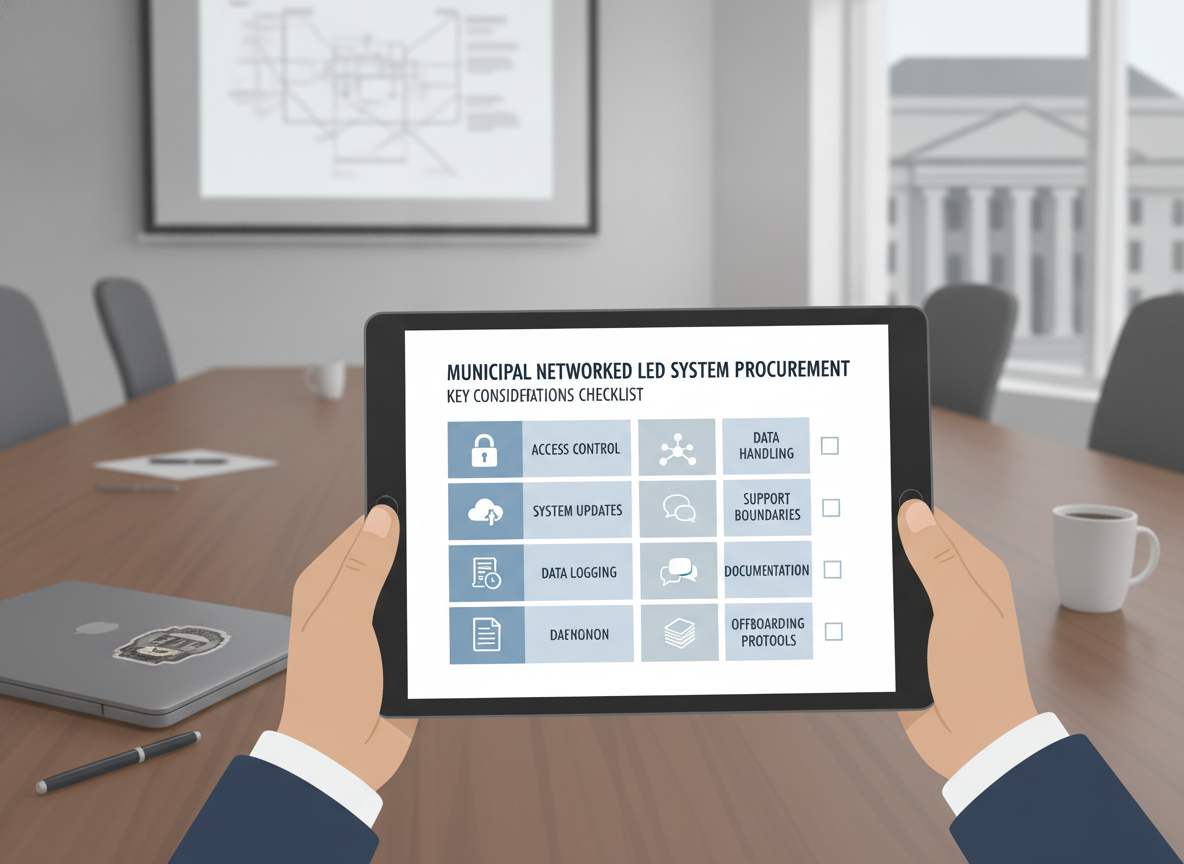
Start by listing every connection the display needs. That includes the city network, a vendor portal, a remote maintenance path, wireless links, and any temporary service connection used during setup. If a connection is not needed, it should not stay open just because it was convenient during installation. That sounds basic, but it is where many LED network integration risks for municipalities begin.
A good inventory also notes whether the display shares a segment with other city devices or sits on a separated network. Segmentation matters because it limits the path from a signage issue to broader city systems. It does not eliminate risk, but it makes a bad event more containable.
Access Control and Remote Administration
Access control is where cyber risk and ownership risk overlap. City teams should know who can log in, what they can change, and how privileged access is approved. Shared accounts, undocumented admin rights, and informal vendor access should be treated as red flags, not normal conveniences.
For networked signage, remote administration is often necessary. The point is to control it, not ban it. The city should define who can grant access, who reviews it, who can revoke it, and how the activity is logged. CISA’s vendor access and supply chain risk guidance supports that planning approach: vendor access should be monitored and tightly controlled rather than assumed to be harmless.
Patch, Update, and Lifecycle Discipline
A display that cannot be updated on a defined schedule becomes a lingering exposure. The city should ask who owns firmware, software, and controller updates, how changes are tested, and what rollback looks like if an update fails. That is especially important when several teams share responsibility, because "someone else handles it" is often how maintenance gaps appear.
Lifecycle questions also matter. If a controller or management platform reaches end of support, the risk profile changes even if the screen still powers on. In other words, the asset may look operational while becoming harder to secure.
Monitoring, Logging, and Incident Readiness
If a display is connected, it should leave a trail the city can review. Logging and alerting help teams notice unusual logins, configuration changes, unexpected content updates, or repeated failures before a small issue becomes a wider one. The exact log set depends on the system, but the city should know what it can see directly and what only the vendor can see.
Incident response should also fit the city’s normal IT process. If the LED system has its own separate response path, teams may lose time during an event. The better approach is to fold the display into existing escalation and ticketing rules so it is not treated as a special exception.

Data Governance and Privacy Boundaries
The privacy question is not just whether the display shows public content. It is also what data the ecosystem collects, stores, transfers, and retains around that content. MetroLab’s Model Data Governance Policy and Practice Guide is a useful municipal reference because it treats data classification and handling roles as lifecycle decisions, not one-time paperwork.
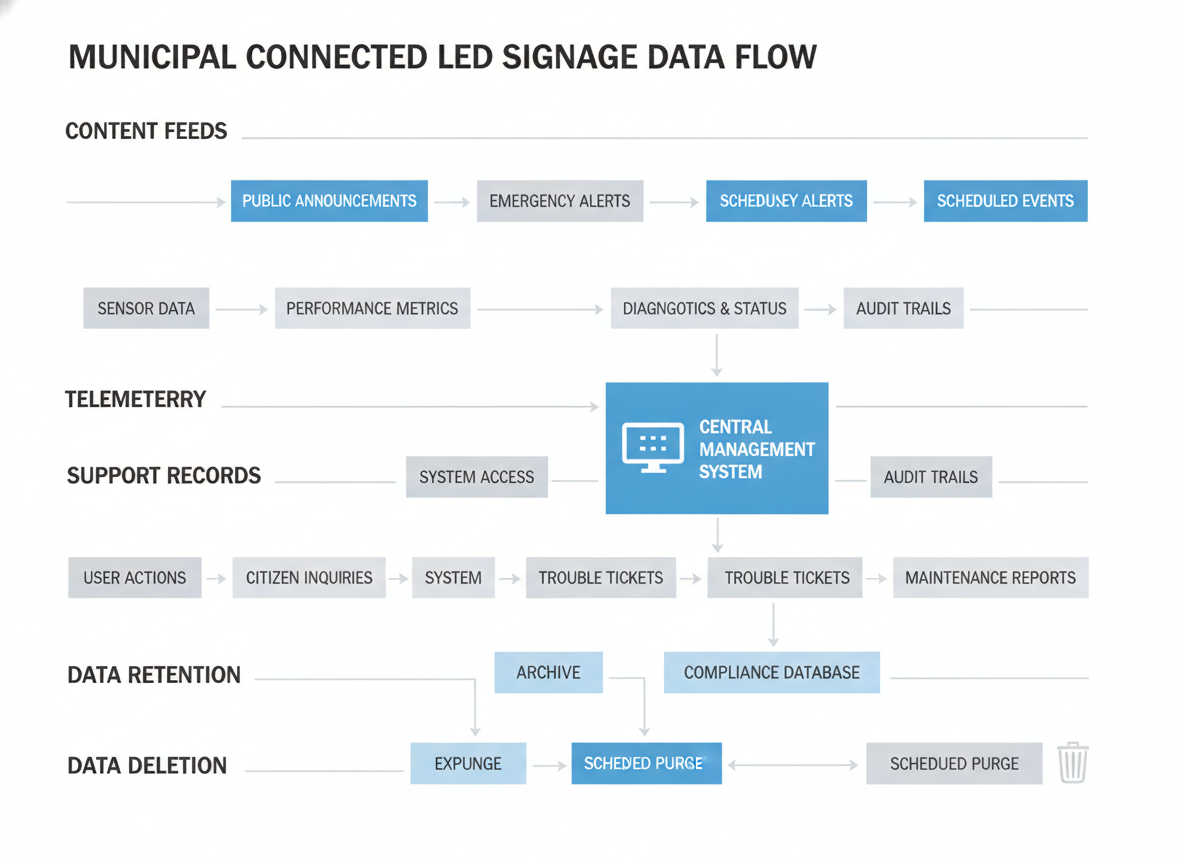
The easiest mistake is to blur content, telemetry, support records, and user access logs into one bucket. They do not have the same ownership, retention, or sharing rules. Content feeds may be public messaging, while telemetry and access records can reveal staff activity, maintenance timing, or system behavior. That is why the IoT LED signage data privacy checklist should start with data mapping, not legal language.
A practical inventory should ask four questions: what data exists, who owns it, who can approve changes, and how long it is kept. It should also include hidden integrations such as dashboards, mobile apps, and support portals. If the team cannot name those pathways, the city does not yet have a complete governance view.
Who approves new integrations matters just as much. If one department can add a feed and another department owns the network, disputes can show up later as access conflicts or unsupported data sharing. A simple rule helps: every data category should have an owner, an approver, and a documented handling path.
Retention and deletion should be written down in operational terms. That means logs, content history, backups, and support records should each have a known retention practice. The goal is not to promise a universal legal outcome, but to make sure the city knows where data lives, who can move it, and how it is removed when it is no longer needed.
Procurement Requirements That Reduce Risk
The safest procurement language turns risk into visible deliverables. NIST’s Smart Cities and Communities Framework Series gives cities an official planning backbone for that conversation, while CISA-style vendor control language helps translate it into operational requirements. The table below is a practical procurement matrix, not a compliance verdict.
| Requirement Area | Why It Matters | What To Ask For In The RFP | Red Flag If Missing |
|---|---|---|---|
| Identity and access control | Prevents informal admin sprawl | Named admin roles, unique credentials, approval steps for remote access | Shared logins or no clear owner |
| Network segmentation | Limits blast radius | Network diagram, isolation plan, and any required exceptions | "Connect it anywhere" language |
| Update ownership | Keeps the system maintainable | Who supplies firmware, who tests updates, and who rolls back failures | Update responsibility left vague |
| Logging and monitoring | Helps detect issues early | Event visibility, log retention, and escalation paths | No city-visible logging plan |
| Support boundaries | Clarifies who can touch the system | Support hours, access rules, and vendor entry process | Vendor can access systems informally |
| Data handling | Prevents vague sharing assumptions | Data categories, retention rules, and storage locations | No data map or retention language |
| Documentation deliverables | Reduces dependency on memory | Admin guide, integration diagram, offboarding steps, and asset inventory | "Documentation after install" only |
| Exit and offboarding | Protects future control | Handoff process, credential return, and data export/deletion steps | No offboarding clause |
What this means for buyers is simple: if the RFP does not name access, updates, logs, data handling, and offboarding, the city may inherit those responsibilities by default. That is where smart city LED display cybersecurity risks often turn into contract risk.
Long-Term Ownership and Vendor Lock-In
Vendor lock-in is not only about price. It shows up when the vendor holds the only workable admin path, the only current documentation, or the only tool that can update the system. CISA’s vendor access and supply chain risk guidance supports a simple rule for cities: vendor access should be tightly controlled, documented, and reviewable over time.
For public assets, ownership planning should cover five things:
- Who holds the admin credentials today, and who can revoke them
- Who owns the content workflow, not just the screen
- Where backups and configuration exports live
- What documentation the city receives before go-live
- How the system can be handed off or retired later
The hidden trade-off is that remote support helps uptime, but it can also become hidden privileged access if no one tracks it. Cities do not need to eliminate vendor support. They need a structure that keeps support visible, temporary, and auditable.
A Practical RFP and Deployment Checklist
Use this nine-step check in the room with IT, procurement, operations, and the integrator:
- List every connected component, including controllers, portals, accounts, and upstream city systems.
- Decide which network segments the display may use, and which it must never share.
- Assign access owners, approvers, and reviewers for admin and vendor logins.
- Write update ownership and rollback duties into the contract.
- Define what logs the city can see and how long they are kept.
- Map content, telemetry, access records, and support records separately.
- Request documentation, integration diagrams, and offboarding steps before award.
- Confirm who can remove access, export data, and recover the system if the vendor changes.
- Classify the project as ready, conditional, or not ready based on the gaps you found.
If the team can answer most of those items clearly, the project is probably ready for controlled rollout. If several answers depend on informal vendor promises, it is only conditionally ready. If the city cannot name owners, data flows, and exit steps, pause before procurement.
Final Takeaway
Smart city LED display cybersecurity risks are manageable only when cities treat the project as a connected service, not a stand-alone sign. The safest path is to inventory the system, define data ownership, write access and update rules into the contract, and check offboarding before award. If the city cannot explain those pieces in plain language, the project needs more work before launch. If it can, the deployment is far more likely to stay controllable after the installer leaves.
FAQs
How Do You Reduce Cyber Risk in a Networked LED Display?
Focus first on segmentation, unique credentials, controlled remote access, update ownership, and logging. Those controls do not make the system perfect, but they reduce the chance that one issue spreads across the city environment. The key is to define ownership before launch, not after the first service call.
What Should a City Require in an LED Display RFP?
Ask for a network diagram, admin role definitions, update responsibility, logging visibility, support boundaries, documentation deliverables, and offboarding steps. The best RFP language is specific enough that the city can verify it later. Vague statements about "full support" or "best effort security" are not enough by themselves.
How Should Municipal Teams Handle Data Privacy for LED Signage?
Inventory content feeds, telemetry, access logs, support tickets, and backups separately. Then assign owners and retention rules for each category. That keeps public messaging distinct from operational data and makes it easier to review sharing and deletion before the system goes live.
Can a City Avoid Vendor Lock-In With Smart City LED Systems?
It can reduce lock-in, but not eliminate it. The practical tools are documentation, credential control, exportable backups, clear support terms, and exit planning. If only the vendor can operate or update the system, the city is already dependent on that relationship.
What Is the Difference Between a Security Requirement and a Governance Requirement?
A security requirement limits technical exposure, such as access control, segmentation, and monitoring. A governance requirement defines who owns data, who approves changes, and who is responsible for retention or offboarding. For municipal projects, both matter because technical control without ownership clarity still leaves room for risk.





