





A strong LED wall warranty comparison starts with the contract, not the brochure. For mission-critical projects, the real questions are what is covered, what burn-in exclusions apply, whether module replacement is a repair right or a service promise, and which response commitments belong in a separate SLA. That is the fastest way to compare offers without assuming every vendor means the same thing by warranty.

What LED Wall Warranty Terms Usually Cover
For procurement teams, the first pass on an LED wall warranty should answer four things: coverage period, covered parts, labor, and claim process. In US warranty law, vendors must label warranty scope clearly and state exclusions in a bounded way, which is why the limited warranty structure and exclusions matter more than a headline term alone.
Coverage Periods and Scope
Warranty terms often break the display into different component classes, such as cabinets, modules, power supplies, or control components. That matters because one line item may be covered longer than another, or a proposal may cover only certain parts in a 24/7 install. If the document does not spell out the component scope, you do not yet have a fair comparison.
For command centers, this is the first filter: if a vendor only gives a broad term without naming the covered hardware, the warranty is less useful than it looks. A shorter but explicit contract can be better than a longer one that leaves the buyer guessing about exclusions.
Parts, Labor, and Onsite Service
A common mistake is to read parts coverage as if it also includes labor. In practice, the base warranty may cover the replacement part while travel, onsite diagnostics, after-hours work, or swap labor stay outside the warranty unless the agreement says otherwise. That is one reason LED wall warranty negotiations often change total cost more than the headline duration does.
If your room runs around the clock, ask whether onsite service is included or whether the vendor is only promising shipped parts. The difference is not minor in a control room, because downtime usually costs more than the module itself.
Claim Process and Cost Responsibility
The claim process is part of the warranty, not an afterthought. Buyers should check who opens the ticket, what proof is required, whether advance authorization is needed, and who pays freight or swap labor. If the agreement is silent, you may discover that the warranty sounds broad but the buyer still carries the logistics burden.
mission-critical LED wall options can help with browsing, but the actual contract should still name the claim steps in writing. For procurement, the best decision sentence is simple: if the proposal does not define scope, labor, and claim responsibility, it is not ready for signature.
Burn-In Coverage and Exclusion Triggers
Burn-in deserves its own review line because it behaves differently from a normal defect claim. In professional dvLED discussions, image retention caused by static content is often treated as a limited or excluded condition rather than broad warranty coverage, which is why the image retention and burn-in exclusions need to be read clause by clause.
Why Burn-In Clauses Need Extra Review
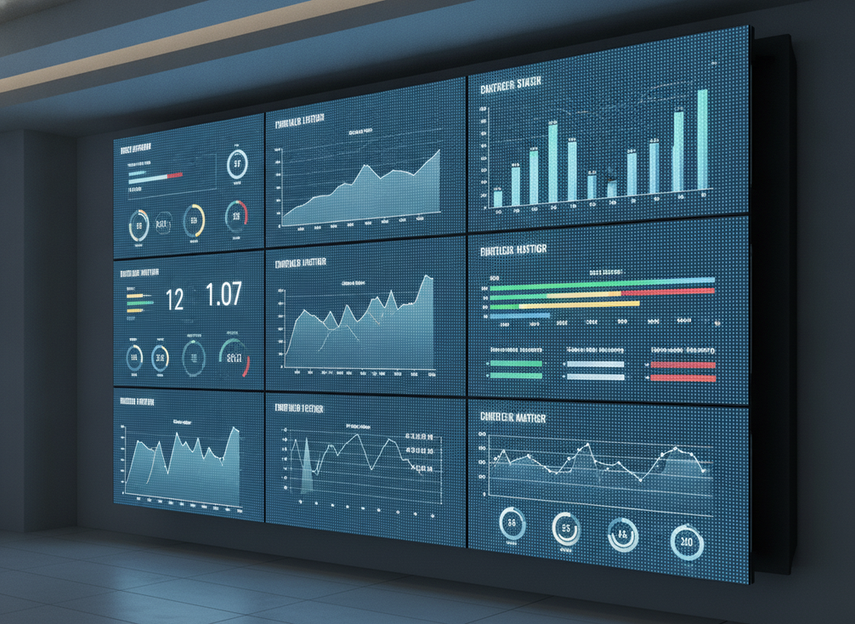
Burn-in usually matters most in environments with persistent dashboards, maps, status bars, or fixed layouts. That makes it a mission-critical issue, not a cosmetic one. If the wall is expected to run in the same content pattern for long hours, the contract should say whether burn-in is a defect claim, a limited remedy, or an exclusion.
Here is the practical filter: if the clause never defines burn-in, or only mentions misuse in general terms, the buyer has not really compared coverage yet. Ask for the written definition before you compare price.
Common Exclusions and Usage Conditions
Burn-in clauses often turn on usage conditions such as static content, brightness settings, installation conditions, cleaning intervals, or environmental limits. That does not mean the vendor can deny every claim, but it does mean the buyer should read the operating assumptions carefully. A warranty that depends on specific maintenance or environmental conditions is narrower than it first appears.
The safest reading is this: if your control room uses continuous static graphics, treat burn-in as a separate risk area and not an automatic defect promise. Buyers should also check whether the remedy is repair, replacement, or some other response, because the remedy can be narrower than the headline warranty term.
How to Compare Burn-In Coverage Claims
When two vendors use different burn-in language, compare them clause by clause instead of by marketing summary. Look for three things: whether burn-in is separately addressed, what conditions trigger the limit or exclusion, and what remedy is actually promised. That is the cleanest way to avoid false equivalence.
If you want the fastest checklist, ask for the exact written definition of burn-in, the excluded content patterns, and the maintenance assumptions that could affect the claim. For mission-critical rooms, that question is usually more valuable than a generic promise of "reliable" video walls.
Module Replacement and Turnaround Expectations
Replacement rights and service logistics are not the same thing. A module may be covered under warranty, but that does not automatically tell you whether the vendor will replace a single module, a larger assembly, or the full cabinet. It also does not guarantee visual continuity after the swap. The batch matching for replacement modules is one reason spare-stock planning matters.
What a Replacement Clause Should Say
A usable module replacement warranty for LED video walls should answer what is replaced, whether the replacement is warranty-covered, and who owns the spare inventory. If the wall is mission-critical, the contract should also say where the spares live and who can authorize the swap.
zero-downtime COB wall pages may be useful for browsing a relevant product family, but the contract still needs to state the replacement workflow. A replacement clause that omits the covered unit level is a red flag because it can hide both downtime and added labor cost.
Why Turnaround and Spare Stock Matter
In a 24/7 room, the practical risk is not only whether the part is covered. It is whether the part is already available, whether freight is included, and whether the swap can happen quickly enough to protect operations. A slow replacement process can turn a warranty into a paperwork exercise.
Visual match also matters. AVIXA notes that batch matching helps reduce visible differences between replacement modules and the installed wall, which means later swaps may not look identical if the spare stock comes from a different production run. For buyers, the decision is straightforward: uptime and visual continuity should be negotiated together, not treated as separate afterthoughts.
A Simple Replacement Review Sequence
Use this sequence before signature:
- Identify the covered unit, module, larger assembly, or cabinet.
- Confirm whether the replacement is a warranty right or a service charge.
- Ask where spare stock is stored and who controls it.
- Confirm who pays freight, labor, and return handling.
- Ask how the vendor handles visual continuity after a swap.
If the answer to any of those steps is unclear, the replacement language is still too loose for a mission-critical project.
SLA Language Buyers Should Separate From Warranty
Warranty and SLA language solve different problems. The warranty says what defect coverage exists. The SLA says how support responds, escalates, and dispatches. That distinction matters because mission-critical buyers often assume a hardware warranty includes service timing when it usually does not. A Priority 1 response-time benchmark of roughly 4 hours or less is a useful comparison point, not a universal rule.
| Term Type | What It Governs | What To Verify | Why It Matters |
|---|---|---|---|
| Warranty | Defect coverage, scope, exclusions | Covered parts, labor, and claim process | Defines the hardware protection you are actually buying |
| Burn-in clause | Image retention or static-content risk | Whether it is covered, limited, or excluded | Protects control-room content that stays on screen for long periods |
| SLA | Support response and escalation | Response window, coverage hours, remedy, dispatch path | Determines how fast help arrives when the wall is down |
| Replacement plan | Swap workflow and spare stock | Module level, freight, ownership of spares | Affects downtime and visual continuity after failure |
What Belongs in the Warranty Versus the SLA
Keep response time, escalation path, coverage hours, and dispatch expectations in the SLA unless the contract explicitly folds them into warranty language. That separation helps procurement compare offers without mixing legal coverage and operational support.
A strong SLA should also define how response is measured, what counts as a valid ticket, and what happens if the vendor misses the commitment. If those items are missing, the service promise is too vague to help a command center buyer.
How 24/7 Support Changes Procurement Value
The same hardware warranty can become more or less useful depending on support hours. A vendor that covers parts but only answers during business hours is not the same as one that offers 24/7 escalation for a live control room. That is why buyers should compare service language separately from warranty length.
For mission-critical LED wall warranty reviews, the best question is not "How long is it?" but "What happens at 2 a.m. when the wall fails?" If the contract does not answer that clearly, keep negotiating.
A Contract Checklist for Mission-Critical Buyers
Before signing, ask for the signed warranty schedule, SLA, exclusions, installation assumptions, claim process, and escalation contacts in one package. Then check whether the contract answers six questions: what is covered, what burn-in language applies, what replacement path exists, who pays freight and labor, what response commitment is promised, and what conditions void coverage.
If a vendor cannot show you those items in writing, the LED wall warranty is not fully comparable yet. For mission-critical procurement, that is the point where you pause and redline, not where you assume the brochure is enough.
FAQs
How Do LED Wall Warranties Usually Treat Burn-In?
Burn-in is often handled differently from standard defect coverage, and it may be excluded or limited when static content causes image retention. The exact result depends on the written agreement, the usage conditions, and the wording of the remedy. For procurement, the key is to request the burn-in definition in writing before you compare vendors.
What Should a Module Replacement Warranty Include?
It should say what gets replaced, whether the replacement is a single module or a larger assembly, and whether freight and labor are included. For mission-critical rooms, you should also ask who owns the spare stock and how the vendor handles visual continuity after the swap.
Why Is Response Time Often an SLA Issue Instead of a Warranty Issue?
Response windows, escalation paths, and coverage hours usually belong in the SLA because they describe support operations rather than hardware defect coverage. A warranty can be strong while the support window is weak. That is why buyers should compare the two documents separately.
Can Burn-In Exclusions Be Negotiated Before Purchase?
Often, yes. Buyers can ask for a clearer definition, a narrower exclusion, or a different remedy before signing, but the final answer depends on the vendor agreement. If burn-in risk is important to the room design, negotiate the wording before approval rather than after installation.
What Documents Should We Request Before Signing?
Ask for the signed warranty schedule, SLA, installation assumptions, exclusions, claim process, and escalation contacts. Those documents give procurement the clearest picture of coverage scope, service expectations, and any conditions that could change the outcome later.





